
How shipping rules work
Shipping rules decide which shipping methods your shoppers see at checkout, where each method ships, and what it costs. This article explains the ideas behind them. Once these click, every other rules article is easier to follow.
Rules and methods are not the same thing
- A shipping method is what shoppers see at checkout, like "Standard Shipping" or "UPS Ground".
- A shipping rule is one card on the Shipping Rules page. It says when a method applies, where it ships and how it's priced.
- ASM groups rules into methods by their Method name. Every rule with the same name belongs to the same method.
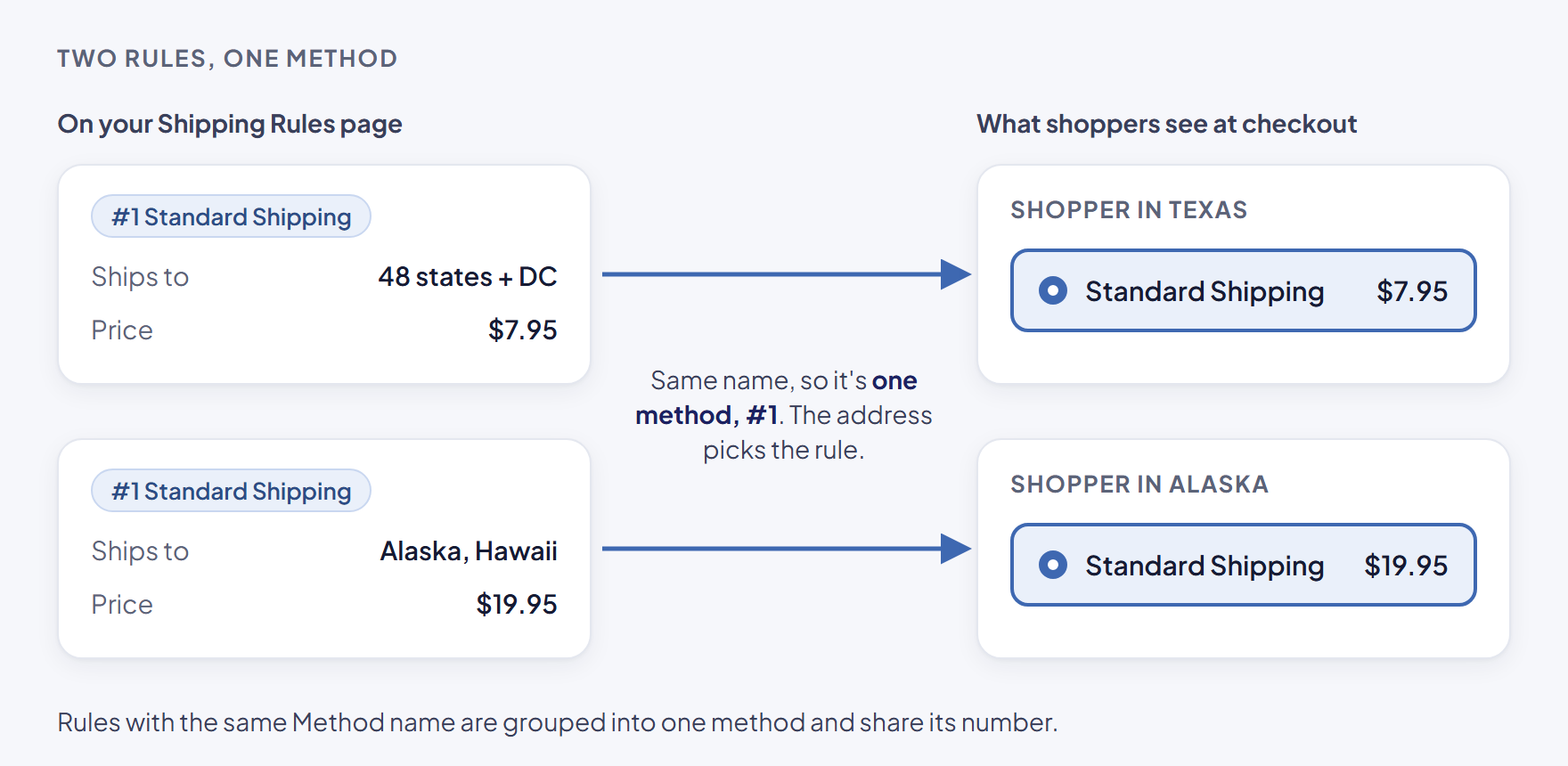
So one method can have several rules. For example:
| Rule | Method name | Where it ships | Price |
|---|---|---|---|
| 1 | Standard Shipping | 48 states + DC | $7.95 |
| 2 | Standard Shipping | Alaska, Hawaii | $19.95 |
Shoppers see one method, "Standard Shipping". A shopper in Texas pays $7.95. A shopper in Alaska pays $19.95.
Method numbers
Each method has a number. You see it as #N at the top of every rule card, for example "#1 Standard Shipping". All rules of one method share that number.
Other parts of ASM refer to a method by its number, not its name:
- Product settings such as Free shipping methods, Flat ship rates, Invalid ship methods and Markup.
- Advanced triggers on other rules, for example "Hide if #3 applies".
Because they use the number, renaming a method doesn't break them.
Some settings belong to the whole method
A few settings are shared by every rule of a method. Change them on one rule and ASM copies the change to all the method's rules when you select Save Rule.
Shared by the whole method:
- Method name and Method description
- The Free shipping card: Free shipping over, Subtract coupons, Valid only to, Max weight allowed
- Minimum charge and Maximum charge
- Advanced triggers (except Products with a tag, which is set per rule)
- Delivery estimate text and Duties & taxes
Everything else is set per rule: weight and order value ranges, ZIP codes, countries, states, PO boxes, customer tags, how it's priced, packaging and Saturday delivery.
When you add a new rule with the name of an existing method, the new rule takes that method's existing free shipping and minimum/maximum charge. Whatever you typed in those fields on the new rule is discarded. To change them, edit any rule of the method after saving. The safest way to add a rule to an existing method is Duplicate — see Turn rules on or off, duplicate or delete them.
Three ways to price a rule
In the How it's priced card, every rule uses one of three types:
| Type | What the shopper pays | Read more |
|---|---|---|
| Real-time | A live rate from your carrier account (UPS, FedEx, USPS and others) | Add a shipping method |
| Percentage or flat | A percentage of the order, a fixed amount, or an amount per product or per pound | Charge a flat rate |
| Table | A price from tiers by order amount, weight or number of products | Charge by weight or order total with a table |
Before pricing, ASM packs the cart into boxes using your product sizes and box settings. Real-time and table rules price each packed box and add the boxes together. That's why a table rate can come out at two or three times the amount you expect — see My table rate is charged two or three times.
How checkout picks a rule
Here's the short version of what happens when a shopper asks for rates:
- For each method, ASM looks at every rule of that method that's switched On.
- A rule matches when every condition on it passes: weight, order value, where it ships, customer tags and so on. An empty box means "no limit".
- If no rule of a method matches, that method doesn't show.
- ASM prices the cart with the matching rule, then applies product settings, markups and the minimum or maximum charge.
- Advanced triggers can then show or hide a method depending on the other methods.
For the full order of steps, see How checkout chooses and prices a method.
Make sure any one cart can match only one rule of each method. For example, give the rules of "Standard Shipping" different states, or weight ranges that don't overlap.
The order methods appear in
There's no setting to reorder methods by hand. ASM sends the methods to your checkout sorted by price, cheapest first.
On Turbify, the cart uses the Sort applicable shipping methods by setting (Rate, Method name or Method number). See Global shipping settings explained.
Test before shoppers do
After any change, check your rates with a test cart in the Shipping Estimator — it uses your rules, products and carriers, so it's the fastest way to see what a cart gets. See Test your rates with the Shipping Estimator, and Why the estimator and checkout can differ for the rare cases where they don't match.