
How ASM calculates a shipping rate
Every time a shopper reaches checkout, your store asks ASM: "What shipping options does this cart have to this address, and what do they cost?" ASM answers in a few seconds. This article explains what happens in between, so the rest of the help center makes sense.
The journey of one quote
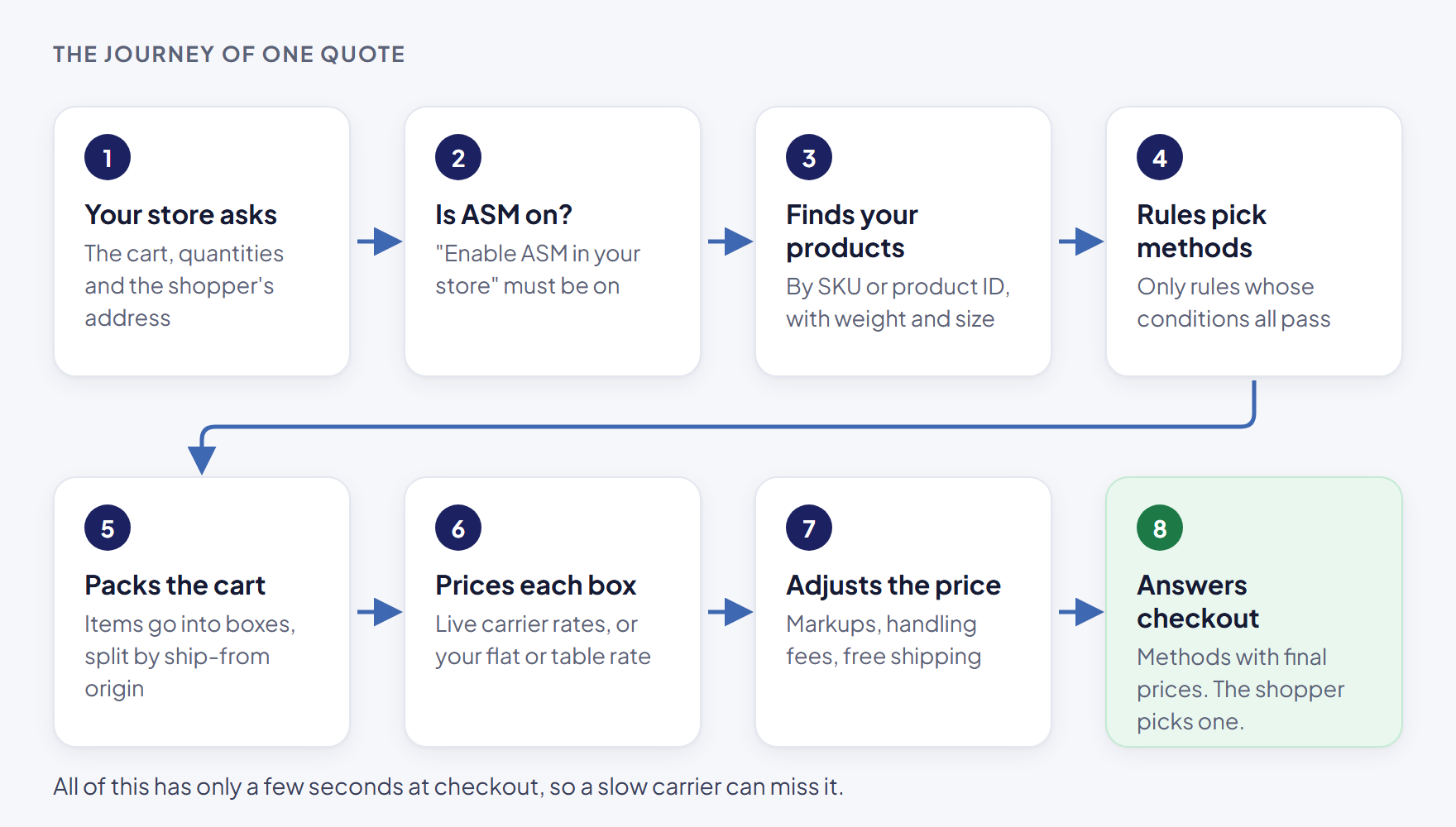
- Your store asks. The shopper enters an address at checkout (or a ZIP code in a Turbify cart). Your platform sends ASM the cart's products, quantities and the address.
- ASM checks it's on. If Enable Advanced Shipping Manager in your store is off, ASM's rates don't show. See Turn ASM on (or off) at checkout.
- ASM looks up your products. It finds each product by its SKU or product ID, with the shipping settings you've given it in ASM: weight, size, where it ships from, any restrictions. A product ASM can't find can't be rated. See How products get into ASM.
- Your shipping rules decide which methods apply. Each rule is one method shoppers can pick, such as "UPS Ground" or "Free Shipping". A rule only applies when its conditions pass: the destination, the order value, the weight, and so on. See How shipping rules work.
- ASM packs the cart into packages. It groups items into boxes using their weights and sizes, and splits them by origin when products ship from different places.
- ASM prices each package. Depending on the rule, the price comes from a carrier's live rates (UPS, FedEx, USPS, freight carriers and others), or from a flat or table rate you set. For live rates, the address type matters: carriers often charge more for residential delivery. See Residential vs. commercial addresses.
- ASM adjusts the price. Your markups, handling fees and free-shipping rules are applied. See Add a handling fee.
- ASM answers your checkout. The methods that passed, with their final prices, go back to your store. Shoppers pick one.

Why this matters when something looks wrong
Each step is a place where a method can drop out or a price can change:
- A method is missing usually means a rule's condition didn't pass (step 4), or a carrier returned an error or didn't answer in time (step 6).
- A price is too high often means more packages than you expected (step 5), a wrong product weight (step 3), or a markup (step 7).
- No methods at all often means ASM is off (step 2), a product isn't in ASM (step 3), or no rule matched (step 4).
The Shipping Estimator shows you the result of every step for any cart: which methods came back, the packages behind each price, the markup, and any carrier errors. See Test your rates with the Shipping Estimator and Read Shipping Estimator results.
Checkout has a time limit
Your platform waits only a few seconds for ASM's answer. A carrier that's slow to respond can miss that window, and its methods are left out of that checkout. This is the main reason a method can show in the Shipping Estimator but not at checkout. See Why the estimator and checkout can differ.
Words you'll see
- Method — one shipping option shoppers can pick, such as "UPS Ground".
- Rule — the settings behind a method: when it shows and how it's priced.
- Carrier — the company that moves the package: UPS, FedEx, USPS, a freight carrier and so on.
- Origin — the address a package ships from.
More terms: Glossary.