
Give a shipping discount with a markdown
Lower a method's price, for example 20% off the live UPS Ground rate, or $3 off every order. A markdown is a markup with a minus sign.
Before you begin
Steps
- In the sidebar, select Markups, then Add a markup.
- In Basics, choose the Shipping method.
- In When it applies, limit where the discount applies, or leave it empty for everywhere.
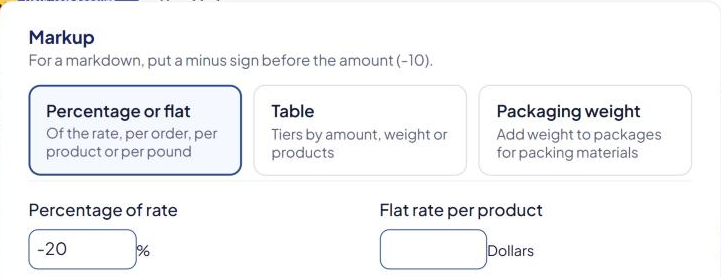
- In Markup, select Percentage or flat.
- Type a negative amount:
- Percentage of rate
-20for 20% off, or - Flat rate per order
-3for $3 off.
- Percentage of rate
- Leave Add at least … but no more than … empty.
- Select Save Markup, and check its switch is On.
Examples
| Markdown | Shipping rate | Shopper pays |
|---|---|---|
Percentage of rate -20 |
$15.00 | $15.00 − $3.00 = $12.00 |
Flat rate per order -3 |
$11.50 | $8.50 |
Things to know
- Don't combine a markdown with "Add at least … but no more than …". Those limits are designed for markups that add. With a negative amount they can give unexpected results.
- Minimum charge still applies. It's applied after markups, so it can raise a discounted price back up. See Set a minimum or maximum shipping charge.
- Free stays free. Markdowns aren't applied to a $0 rate.
- To make shipping free above an amount, use free shipping instead. See Offer free shipping over an order amount.
Check that it works
Run a test cart in the Shipping Estimator. See Test your rates with the Shipping Estimator.