
Set a minimum or maximum shipping charge
Make sure a method never costs less than, or more than, an amount. For example: UPS Ground never under $6.00, and never over $50.00.
Before you begin
Steps
- Go to Shipping Rules and select Edit on any rule of the method.
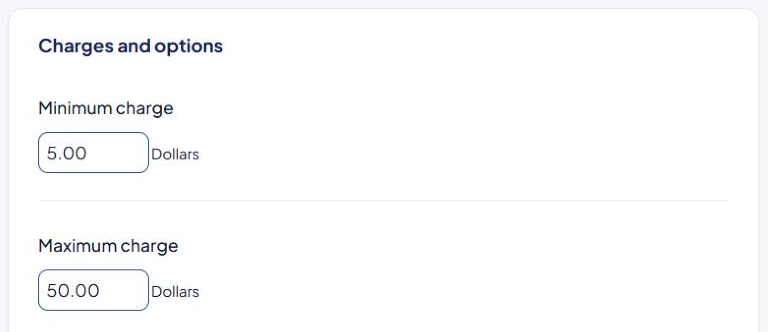
- Scroll to the Charges and options card.
- Type a Minimum charge, a Maximum charge, or both.
- Select Save Rule.
Both settings belong to the whole method: ASM copies them to every rule of the method.
How they work
ASM applies them to the method's final price, after markups.
| Price before | Minimum 6.00 |
Maximum 50.00 |
Shopper pays |
|---|---|---|---|
| $4.20 | raised | — | $6.00 |
| $18.40 | — | — | $18.40 |
| $85.00 | — | capped | $50.00 |
| $0 (free shipping) | not applied | — | $0 |
A minimum charge doesn't apply to a rate made free by Free shipping over. Free stays free.
Things to know
- A markdown on the Markups page happens before the minimum charge. A big discount can be raised back up to the minimum. See Give a shipping discount with a markdown.
- The Rate above or below an amount trigger checks the price after the minimum and maximum charge. See Advanced triggers reference.
Check that it works
Run a small cart and a large cart in the Shipping Estimator. See Test your rates with the Shipping Estimator.