
Set up USPS rates
USPS works on every ASM store without a USPS account. ASM quotes USPS through its own USPS connection, so there's no login to enter and nothing to connect. You only choose a couple of options.
Before you begin
Steps
- Go to Settings → Carriers and select USPS.
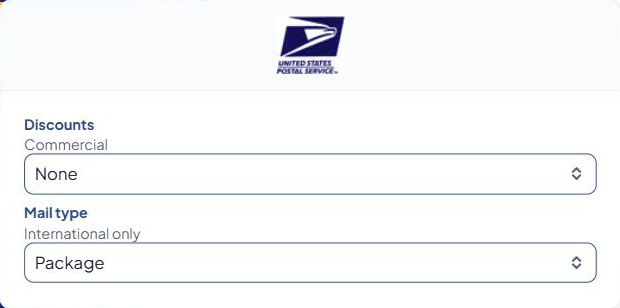
- Set Discounts:
- None — USPS retail prices.
- Commercial (Web Prices) — USPS's commercial prices.
- Set Mail type (international shipments only): Package, Postcards Or Aerogrammes, Matter For The Blind or Envelope. Most stores use Package.
- Select Save Settings.
- Add USPS methods in Shipping Rules. See Add a shipping method.
Check that it works
USPS has no Test connection button, because there's nothing of yours to test. Quote a cart in the Shipping Estimator instead and look for your USPS methods. See Test your rates with the Shipping Estimator.
Common problems
- "USPS Error - …" in the Shipping Estimator — the text after the dash is USPS's own message, often about a package's size or weight. See Carrier error messages.
- A package is too big for USPS — shoppers see the "A product in the cart has dimensions that are invalid for a USPS package" message. Check the product's dimensions. See Set dimensions, boxes and "ship alone".
- USPS methods are missing for everyone — check the Carrier Status page. If USPS isn't answering, the Dashboard also shows "USPS isn't answering right now."
On Turbify, you can change what shoppers see when USPS doesn't respond or doesn't offer the chosen service. See Customize shopper error messages.