
Connect ShipStation
Connect ShipStation to quote the carriers in your ShipStation account at checkout, at the rates ShipStation gets you.
Before you begin
Before you start
- A ShipStation API key and API secret. In ShipStation, open your account settings and find the API settings page. Generate the key and secret there, or copy the existing ones.
- At least one carrier connected in ShipStation, such as UPS, FedEx, USPS (Stamps.com) or Canada Post. ASM can only quote carriers your ShipStation account has.
- The ShipStation card in Settings → Carriers. It appears with the ShipStation add-on. If you don't see it, contact support.
Steps
- Go to Settings → Carriers and select ShipStation.
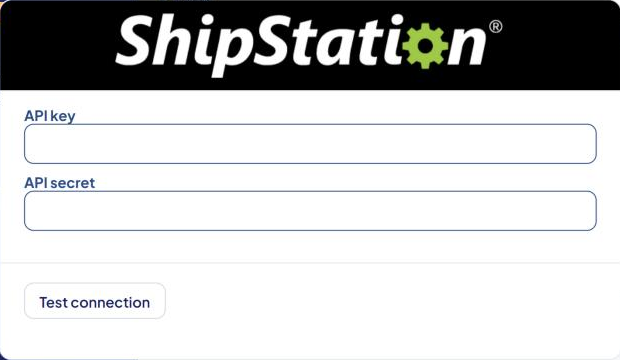
- Paste your API key and API secret.
- Select Save Settings.
- Select Test connection.
- Add ShipStation methods in Shipping Rules. Each ShipStation carrier service is its own method. See Add a shipping method.
What the test does
- If you already have a ShipStation shipping method, the test quotes that method, just like checkout would.
- If you don't, the test asks ShipStation which carriers your account has, quotes one of them (UPS, FedEx, USPS or Canada Post first) and shows the cheapest rate.
You don't need any shipping rules for the test to work.
Common problems
"ShipStation Error - 401 Unauthorized"
- ShipStation rejected the key or secret. Copy both again from ShipStation's API settings, clear the stars in ASM, paste, save and test.
"Your ShipStation account has no carriers connected. Connect one in ShipStation, then test again."
- Connect a carrier in ShipStation first. ASM quotes through the carriers in your ShipStation account.
One carrier works but another returns no rates
- Check that carrier is connected and active in ShipStation.
- If FedEx through ShipStation returns "No applicable services", contact support with the exact message. Some FedEx account types in ShipStation need different shipping methods in ASM.
A method is missing at checkout but works in the estimator